Amazon Seller Software Engineering: Automating Repricing, Inventory, and Multi-Channel Listing at Scale
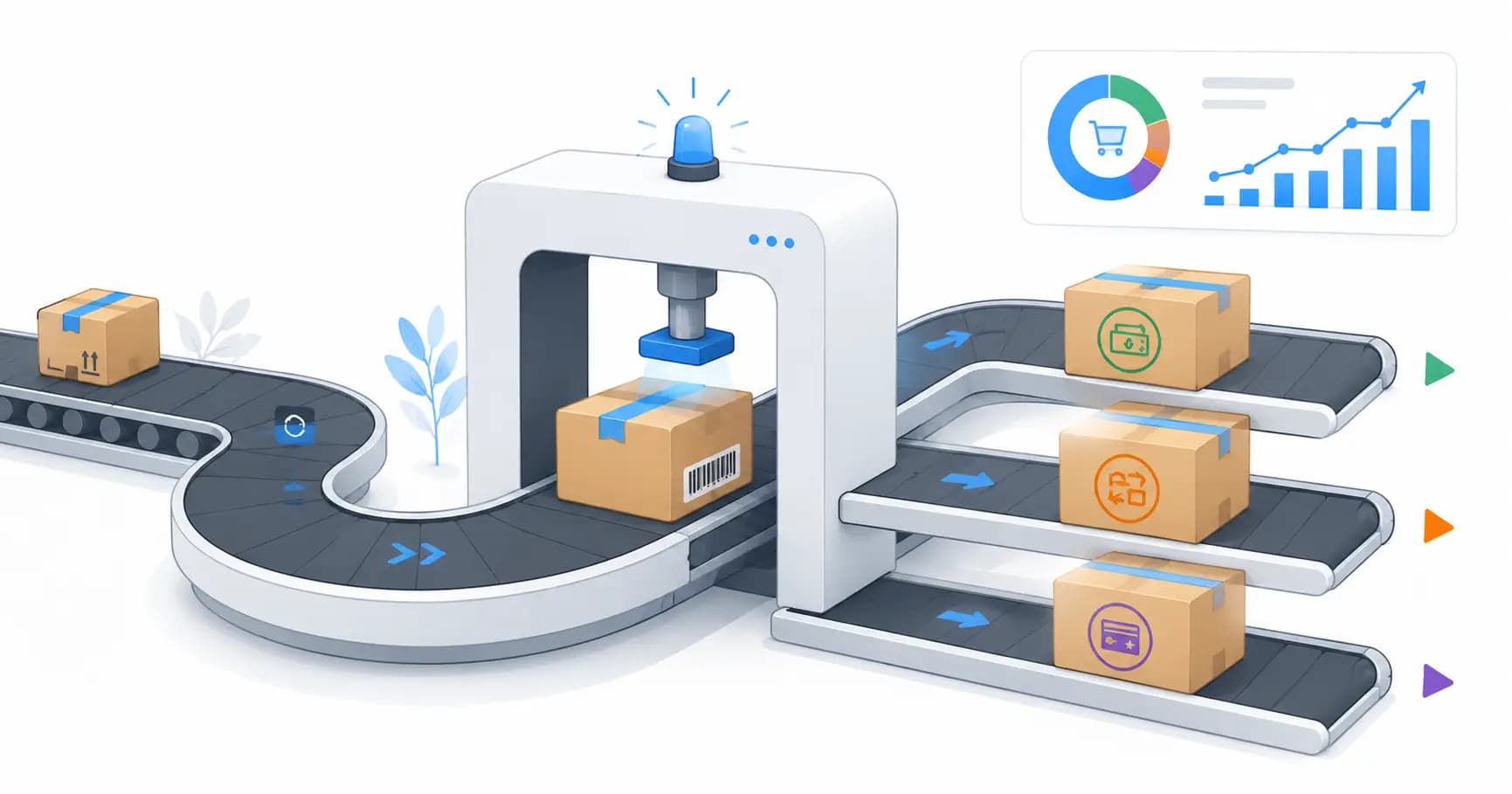
Selling on Amazon at scale is a software problem. Manual repricing loses the Buy Box. Manual inventory management causes stockouts and over-ordering. Manual listing management cannot keep up with catalog changes. This is the engineering behind Amazon seller automation that actually works.
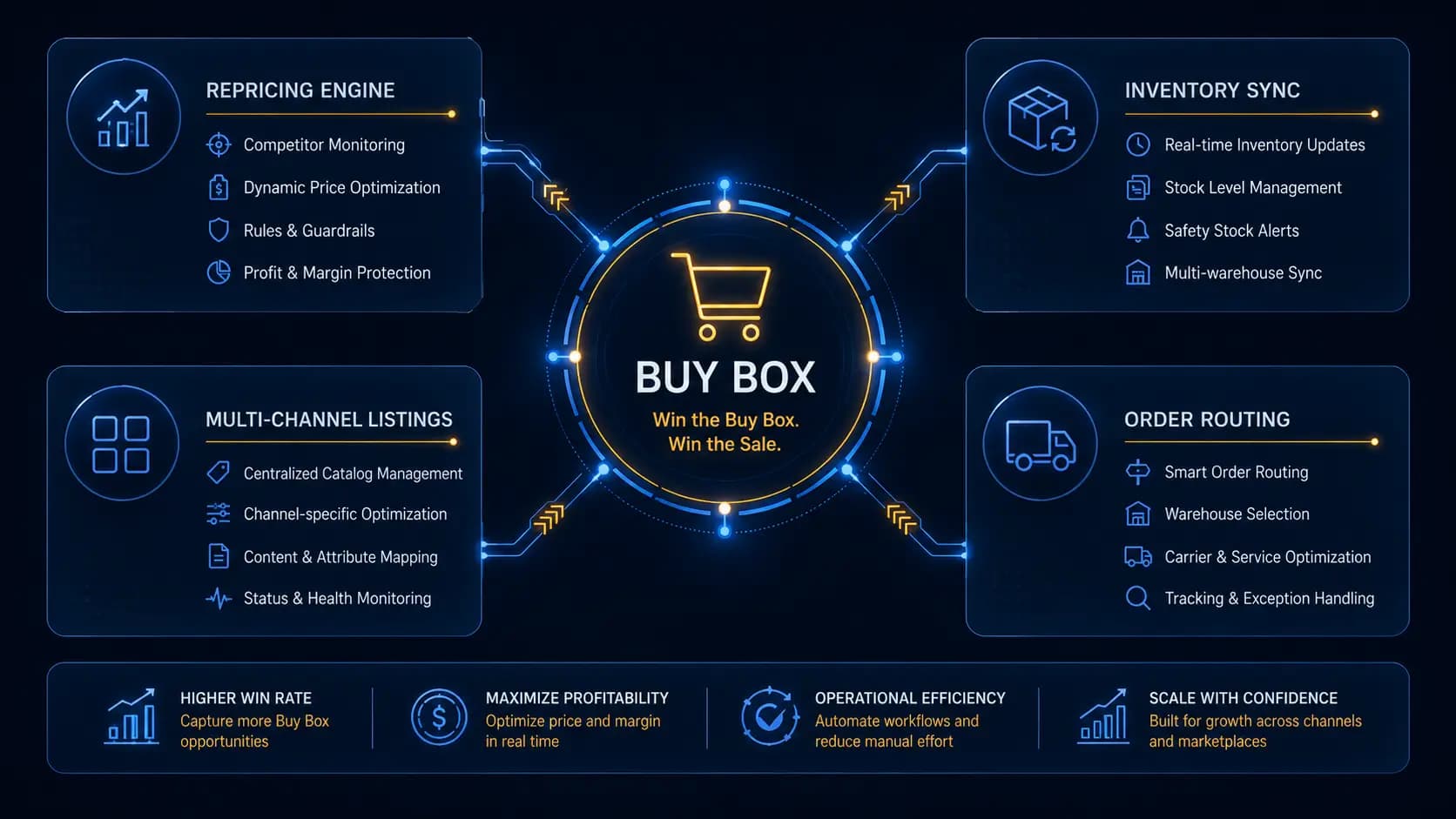
At 100 SKUs on Amazon, a seller can manage manually. At 10,000 SKUs across Amazon, eBay, Walmart, and their own site, the same operational approach fails. The inventory goes out of sync, pricing responses take days instead of minutes, and the operational overhead of keeping listings accurate becomes a full-time job for multiple people. The sellers who scale to 50,000+ SKUs are the ones who built software that automates the work that does not need a human.
This post covers the engineering of Amazon seller automation — repricing, inventory synchronization, multi-channel listing management, and the data pipelines that keep it all current.

The Amazon Selling Partner API
The Amazon Selling Partner API (SP-API) is the modern replacement for the older MWS (Marketplace Web Services) API. It provides access to orders, inventory, pricing, listings, fulfillment, and reports. All automation must go through the SP-API — direct scraping violates Amazon's terms of service and results in account suspension.
Authentication
SP-API uses OAuth 2.0 with Login with Amazon (LWA). Unlike a standard OAuth flow, SP-API requires separate API keys (access key and secret) in addition to the OAuth token. The authentication flow:
- Register the seller's store to the SP-API application (one-time, done in Seller Central)
- Obtain an LWA refresh token (valid indefinitely unless revoked)
- Exchange the refresh token for an access token (valid 1 hour)
- Sign API requests with the access token and AWS SigV4 (SP-API requires SigV4 signing)
class SpApiClient {
  private refreshToken: string
  private accessToken: string | null = null
  private tokenExpiry: Date | null = null

  async getAccessToken(): Promise {
    if (this.accessToken && this.tokenExpiry && this.tokenExpiry > new Date()) {
      return this.accessToken
    }

    const response = await fetch('https://api.amazon.com/auth/o2/token', {
      method: 'POST',
      headers: { 'Content-Type': 'application/x-www-form-urlencoded' },
      body: new URLSearchParams({
        grant_type: 'refresh_token',
        refresh_token: this.refreshToken,
        client_id: LWA_CLIENT_ID,
        client_secret: LWA_CLIENT_SECRET,
      }),
    })

    const { access_token, expires_in } = await response.json()
    this.accessToken = access_token
    this.tokenExpiry = new Date(Date.now() + (expires_in - 60) * 1000)  // 60s buffer
    return access_token
  }
}
Repricing: winning the Buy Box
The Buy Box — the "Add to Cart" button on a product detail page — drives 80-90% of Amazon sales. It is awarded to one seller at a time based on a combination of price, fulfillment method, seller metrics, and price relative to other sellers. For most products, being competitive on price while meeting the other requirements (positive seller metrics, fast shipping) is the main lever for Buy Box share.
-1783689511802.webp)
Repricing strategy
A repricing system must:
- Monitor current competitor prices for each of your SKUs
- Calculate the target price based on your repricing strategy
- Submit price updates via the SP-API
- Respect your minimum and maximum price floors
interface RepricingRule {
  type: 'beat-lowest-fba' | 'match-buy-box' | 'beat-buy-box' | 'fixed-margin'
  beatBy?: number         // $0.01 below competitor for beat strategies
  targetMargin?: number   // for fixed-margin strategy, as a decimal (0.25 = 25%)
  minPrice: number        // never go below this
  maxPrice: number        // never go above this
}

async function calculateTargetPrice(
  asin: string,
  currentCost: number,
  rule: RepricingRule
): Promise {
  const competitorPrices = await getCompetitorPrices(asin)
  const buyBoxPrice = competitorPrices.buyBox?.landedPrice

  switch (rule.type) {
    case 'beat-buy-box':
      if (!buyBoxPrice) return null  // no Buy Box — do not price down blindly
      return Math.max(rule.minPrice, Math.min(rule.maxPrice, buyBoxPrice - (rule.beatBy ?? 0.01)))

    case 'match-buy-box':
      if (!buyBoxPrice) return null
      return Math.max(rule.minPrice, Math.min(rule.maxPrice, buyBoxPrice))

    case 'beat-lowest-fba': {
      const lowestFBA = competitorPrices.offers
        .filter(o => o.isFulfillmentByAmazon)
        .sort((a, b) => a.landedPrice - b.landedPrice)[0]
      if (!lowestFBA) return null
      return Math.max(rule.minPrice, Math.min(rule.maxPrice, lowestFBA.landedPrice - (rule.beatBy ?? 0.01)))
    }

    case 'fixed-margin':
      if (!rule.targetMargin) return null
      return Math.max(rule.minPrice, Math.min(rule.maxPrice, currentCost / (1 - rule.targetMargin)))
  }
}
Submitting price updates
// Submit price updates in bulk via the Listings API
async function submitPriceUpdates(updates: Array<{ sku: string; price: number }>): Promise {
  // SP-API rate limits: 5 price updates per second for Listings Items API
  // Batch updates and respect rate limits
  const batches = chunk(updates, 10)

  for (const batch of batches) {
    await Promise.all(batch.map(async ({ sku, price }) => {
      await spApiClient.putListingsItem({
        sellerId: SELLER_ID,
        sku,
        marketplaceIds: [MARKETPLACE_ID],
        body: {
          productType: 'PRODUCT',
          patches: [{
            op: 'replace',
            path: '/attributes/purchasable_offer',
            value: [{
              marketplace_id: MARKETPLACE_ID,
              currency: 'USD',
              our_price: [{ schedule: [{ value_with_tax: price }] }],
            }]
          }]
        }
      })
    }))

    // Respect rate limit
    await delay(2000)  // 2 seconds between batches of 10
  }
}
Inventory synchronization
Inventory management across Amazon FBA, Amazon FBM (merchant-fulfilled), and other sales channels requires a source-of-truth inventory system that syncs in near-real-time to each channel.
Inventory architecture
-- Source of truth inventory
CREATE TABLE inventory (
  id              CHAR(36) PRIMARY KEY,
  sku             VARCHAR(100) UNIQUE NOT NULL,
  total_quantity  INT NOT NULL DEFAULT 0,
  reserved        INT NOT NULL DEFAULT 0,  -- allocated to unfulfilled orders
  available       INT GENERATED ALWAYS AS (total_quantity - reserved) STORED,
  warehouse_id    CHAR(36) NOT NULL,
  updated_at      DATETIME(3) NOT NULL,
  INDEX idx_sku_warehouse (sku, warehouse_id)
);

-- Channel-specific inventory allocations
CREATE TABLE channel_inventory_allocations (
  sku             VARCHAR(100) NOT NULL,
  channel         ENUM('amazon-fba','amazon-fbm','ebay','walmart','own-site') NOT NULL,
  allocated_qty   INT NOT NULL DEFAULT 0,
  last_synced_at  DATETIME(3),
  PRIMARY KEY (sku, channel)
);
Amazon FBA inventory reconciliation
FBA inventory is managed by Amazon's warehouses, so the source of truth for FBA stock is Amazon's report. The reconciliation job runs daily:
async function reconcileFBAInventory(): Promise {
  // Request FBA inventory report
  const reportId = await spApiClient.createReport({
    reportType: 'GET_FBA_MYI_UNSUPPRESSED_INVENTORY_DATA',
    marketplaceIds: [MARKETPLACE_ID],
  })

  // Wait for report to be ready (polling)
  const report = await waitForReport(reportId)
  const rows = parseInventoryReport(report)

  for (const row of rows) {
    await db.channelInventoryAllocations.upsert({
      where: { sku_channel: { sku: row.sku, channel: 'amazon-fba' } },
      create: { sku: row.sku, channel: 'amazon-fba', allocated_qty: row.afn_fulfillable_quantity, last_synced_at: new Date() },
      update: { allocated_qty: row.afn_fulfillable_quantity, last_synced_at: new Date() },
    })
  }
}
Multi-channel listing management
Listing management across Amazon, eBay, Walmart, and a Shopify store requires a Product Information Management (PIM) system as the source of truth, with channel-specific adapters that translate the canonical product data into each channel's required format.
Channel adapter pattern
interface ChannelAdapter {
  channel: string
  createListing(product: CanonicalProduct): Promise
  updateListing(sku: string, changes: Partial): Promise
  deactivateListing(sku: string): Promise
  getListingStatus(sku: string): Promise
}

class AmazonChannelAdapter implements ChannelAdapter {
  channel = 'amazon'

  async createListing(product: CanonicalProduct): Promise {
    // Map canonical product to Amazon-specific attributes
    const amazonAttributes = mapToAmazonAttributes(product)

    await spApiClient.putListingsItem({
      sellerId: SELLER_ID,
      sku: product.sku,
      marketplaceIds: [MARKETPLACE_ID],
      body: {
        productType: product.amazonProductType,
        requirements: 'LISTING',
        attributes: amazonAttributes,
      }
    })

    return { channel: 'amazon', sku: product.sku, status: 'pending', channelListingId: product.sku }
  }
}

class EbayChannelAdapter implements ChannelAdapter {
  // ... eBay-specific implementation
}

class WalmartChannelAdapter implements ChannelAdapter {
  // ... Walmart-specific implementation
}
Order routing and fulfillment
When an order arrives (via Amazon SP-API webhooks or scheduled polling), the order routing system determines how to fulfill it:
- If the item is in Amazon FBA and the order is from Amazon — Amazon handles fulfillment automatically
- If the item is in your warehouse and the order is FBM — pick a warehouse, generate a shipping label, send tracking to Amazon
- If the item is out of stock at all locations — cancel and notify, or source from a secondary supplier
async function routeOrder(order: InboundOrder): Promise {
  for (const item of order.items) {
    const inventory = await getAvailableInventory(item.sku)

    if (order.channel === 'amazon' && inventory.fbaQty >= item.quantity) {
      // Amazon FBA handles this automatically — no action needed
      continue
    }

    if (inventory.warehouseQty >= item.quantity) {
      // Route to our warehouse for fulfillment
      await createFulfillmentRequest({
        orderId: order.id,
        sku: item.sku,
        quantity: item.quantity,
        warehouseId: selectOptimalWarehouse(item.sku, order.shippingAddress),
      })
      continue
    }

    // Out of stock — cancel this line item
    await cancelOrderLineItem(order.id, item.lineItemId, 'NoInventory')
    await notifyCustomerSupport({ orderId: order.id, sku: item.sku, reason: 'stockout' })
  }
}
Analytics and performance tracking
Amazon seller performance is measured on metrics that directly affect Buy Box eligibility and account health: Order Defect Rate (ODR), Late Shipment Rate, Valid Tracking Rate, and Pre-fulfillment Cancel Rate. The software must track these metrics proactively so problems are caught before they affect account health.
-- Daily account health metrics
SELECT
  DATE(o.purchase_date) as date,
  COUNT(*) as total_orders,
  COUNT(CASE WHEN o.defect_type IS NOT NULL THEN 1 END) as defect_orders,
  ROUND(COUNT(CASE WHEN o.defect_type IS NOT NULL THEN 1 END) * 100.0 / COUNT(*), 2) as odr_percent,
  COUNT(CASE WHEN DATEDIFF(o.ship_date, o.promise_date) > 0 THEN 1 END) as late_shipments,
  ROUND(COUNT(CASE WHEN DATEDIFF(o.ship_date, o.promise_date) > 0 THEN 1 END) * 100.0 / COUNT(*), 2) as late_rate
FROM orders o
WHERE o.purchase_date >= DATE_SUB(NOW(), INTERVAL 60 DAY)
  AND o.channel = 'amazon'
GROUP BY DATE(o.purchase_date)
ORDER BY date DESC
The goal: metrics visible before Amazon's dashboard shows a problem, with alerts when any metric approaches the threshold that triggers a performance notification (ODR > 1%, Late Shipment Rate > 4%). At 10,000+ orders per month, a metric that goes over threshold without warning can cascade into account restrictions that are painful to recover from.
Amazon seller automation is software engineering work at its most pragmatic — the business impact of getting it right (winning the Buy Box, maintaining account health, reducing fulfillment errors) is direct and measurable. If you are running an Amazon operation at scale and want to understand what automation could look like for your specific catalog and fulfillment model, our e-commerce development team can help you scope and build it.
Written by

Founder & CEO
Gaurang Ghinaiya is the Founder & CEO of Nexios Technologies. He is passionate about building innovative software solutions that drive business growth. With years of experience in technology leadership, he guides teams toward excellence.