Why Generic CRMs Fail Luxury Watch and Jewelry Retailers
Salesforce doesn't have a dedicated field for a reference number. Here's why luxury watch and jewelry retailers need a purpose-built CRM and what that CRM actually looks like.
Salesforce does not have a field for reference number. HubSpot does not understand the difference between a service reserve and a floor model. A generic CRM's contact record has no concept of a client's collection: which pieces they own, which references they have been waiting for, which complications they prefer, or what their relationship history with the brand looks like across multiple years and multiple authorised dealers. The data model of a generic CRM was designed for subscription software sales and B2B pipelines. Luxury watch and jewelry retail is a fundamentally different type of relationship business, and forcing it into a generic CRM creates exactly the kind of friction that high-net-worth clients have zero tolerance for.

What the data model for luxury retail actually requires
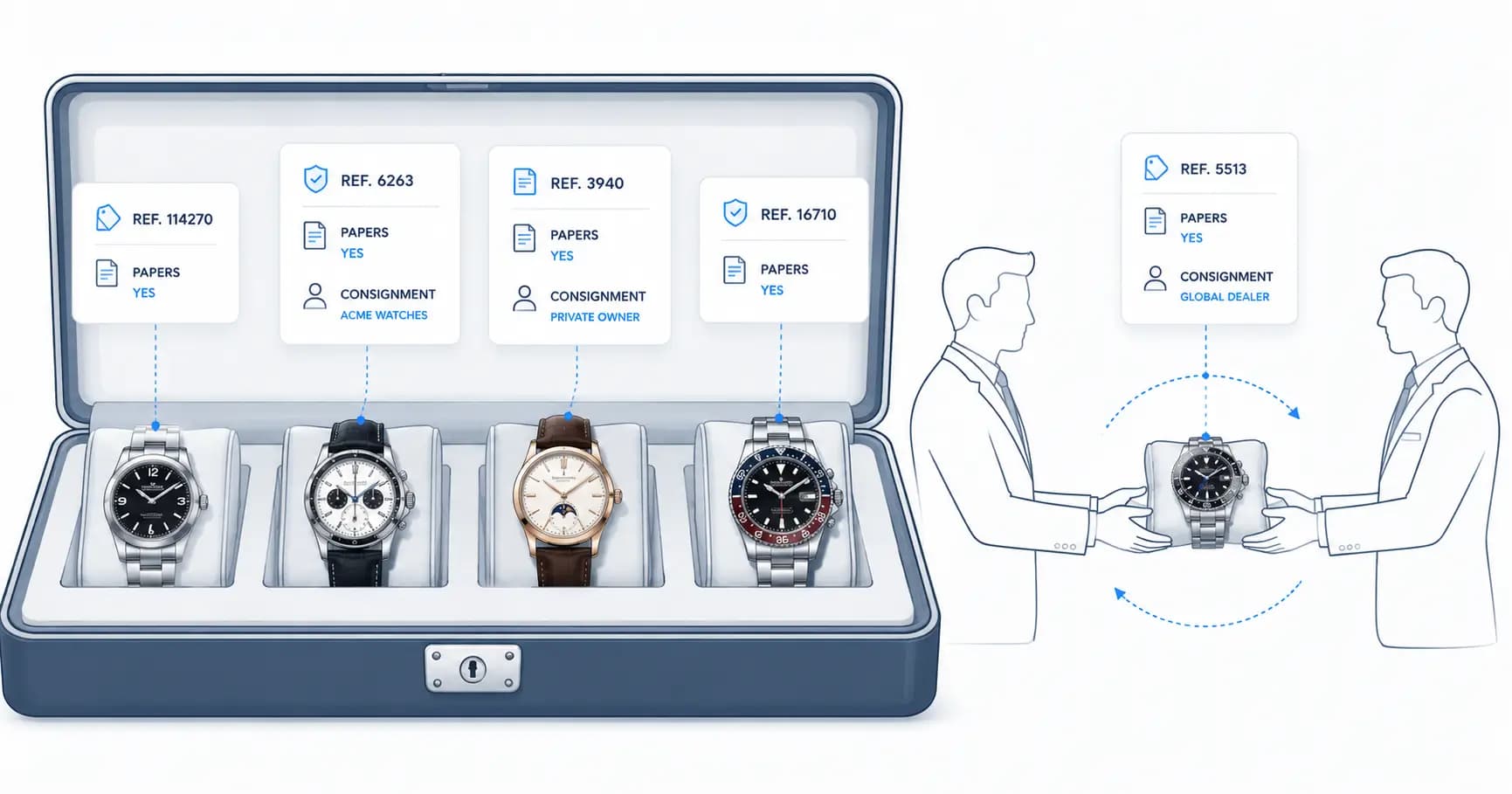
A purpose-built CRM for watch and jewelry retail starts with the collection, not the contact. The primary data objects are pieces, each with a reference number, movement type, condition grade, provenance history, purchase price, and current estimated value. Contacts are secondary: they are the people who own, have owned, or are interested in specific pieces. The relationship between contact and piece is the core of the system, and it carries a rich history: who sold it, who bought it, when it was serviced, who expressed interest when it was available. This is the information that enables the kind of personalised outreach that turns a one-time buyer into a collecting relationship: "we have just acquired a Ref. 5711 with papers and original bracelet; I thought of you immediately."
We go deeper on the schema design in the luxury retail CRM data model, but the short version is that piece-first modeling changes every downstream feature: search is by reference number, reporting is by collection movement, and client profiles read like a relationship ledger instead of a deal pipeline.
The operational consequences of CRM mismatch
The failure mode is always the same: the team builds a workaround. They use Salesforce custom objects to represent the collection, but the reporting breaks. They use HubSpot deals to track pieces, but the pipeline stages do not map to the actual sales cycle of a secondary market transaction. They maintain a spreadsheet alongside the CRM because the CRM cannot handle the fields they actually need. Over time, the data diverges. Client history lives in three systems. New team members cannot find what they need. High-value clients receive generic outreach instead of personalised engagement because the system cannot tell who owns what.
We watched this play out with a UK retailer who had cycled through Salesforce, HubSpot, and a spreadsheet stack before commissioning a purpose-built system. The full story is in why Salesforce failed our luxury watch client, and the resulting build is documented in our watch CRM case study. The pattern from that engagement repeats across the industry: the CRM was not failing because the team used it badly. It was failing because the data model could not represent the business.
The sales cycle generic pipelines cannot represent
A secondary market watch transaction is not a linear pipeline. A piece can be sourced on consignment, offered privately to three known collectors before any public listing, reserved pending authentication, part-exchanged against another piece, and serviced before delivery. Each of those states carries money, risk, and client communication. Generic pipeline stages (lead, qualified, proposal, closed-won) flatten all of it into fiction. The consequences are practical: deposits are tracked in notes fields, part-exchange valuations live in email threads, and nobody can answer "what is our current consignment exposure" without a manual audit.

What purpose-built looks like in practice
The retailers who build genuine client relationships at scale invest in infrastructure that reflects how their business actually works: a CRM built for luxury retail where the primary search is by reference number, where client profiles show their complete collection history, where service and consignment records are first-class objects, and where outreach can be triggered by collection events: a watch due for service, a reference that just came available, an anniversary of a significant purchase.
Concretely, the capabilities that separate purpose-built from adapted:
- Reference-number-first search. Staff think in references. Typing "5711" should surface every piece, owner, waitlist entry, and past enquiry connected to it.
- Waitlist and interest tracking per reference. When a sought-after piece arrives, the system should produce the ranked call list, not a sales meeting.
- Provenance and service history on the piece. Papers, box, service dates, and prior ownership travel with the piece across transactions.
- Event-driven outreach. Service due dates, acquisition anniversaries, and new-arrival matches trigger personal follow-up, the engineering equivalent of a good salesperson's memory. The retention mechanics behind this are the same ones we describe in the post-sale engagement playbook.
- Consignment and part-exchange as native transaction types. Exposure, settlement terms, and valuations belong in structured fields with reporting, not in notes.
The data model drives the client experience. In luxury retail, the client experience is the product.
Written by

Founder & CEO
Gaurang Ghinaiya is the Founder & CEO of Nexios Technologies. He is passionate about building innovative software solutions that drive business growth. With years of experience in technology leadership, he guides teams toward excellence.